

Yes, most likely, if you're about to pay anyone through your business. The single next step is to register as an employer on GOV.UK before your first payday, or phone HMRC if online registration isn't available to you. You must register if you'll pay an employee £96 or more a week, provide benefits or a pension, or if the employee has another job or is receiving certain state benefits.
Once you register:
- HMRC posts your PAYE reference and Accounts Office reference to your business address
- You can't register more than two months before your first payday
- You'll need these references before you can file payroll properly, so don't leave it to the last week
Get this moving now and the rest of the process falls into place.
Key Takeaways
Registering for PAYE correctly and on time protects you from penalties and keeps your payroll running smoothly from the first payday onwards.
| Point | Details |
|---|---|
| Register before payday | You can register up to two months before your first payday, never after it starts. |
| Allow time for post | PAYE and Accounts Office references typically take 5 to 15 working days to arrive by post. |
| Activate within 28 days | PAYE Online activation codes expire if not used within 28 days of arrival. |
| Submit FPS every payday | File a Full Payment Submission on or before each pay period, using PAYE Online, Basic PAYE Tools, software, or an agent. |
| Automate to reduce errors | Tools like SoleDigital link payroll records to income and expense tracking, cutting reconciliation mistakes and helping keep RTI submissions on time. |
Table of Contents
- Who needs PAYE registration in the UK: triggers and examples
- How to register as an employer with HMRC: a step by step walkthrough
- Activation and timelines: what to expect and how to avoid delays
- Running payroll and RTI obligations after registration
- Common PAYE mistakes and a compliance checklist
- Why automation matters more than most new employers expect
- Let SoleDigital handle the payroll admin for you
- Sources
Who needs PAYE registration in the UK: triggers and examples
The rules sound simple until you're staring at your first payroll run wondering if you're actually caught by them. You must register for PAYE if any of these apply to an employee you're paying:
- They earn £96 or more a week (the 2026/27 threshold)
- They receive a benefit or a company pension
- They have another job elsewhere
- They're receiving certain state benefits, such as Jobseeker's Allowance
For a sole trader taking on their first worker, this happens the moment you agree a wage above that threshold, even for a few hours a week. A limited company director paying themselves a salary through the business (rather than taking dividends only) also needs to register, even as a one-person company. Household employers, meaning anyone hiring a nanny, carer, or cleaner directly, face exactly the same obligation if pay crosses the threshold.
Even below the threshold, keep basic payroll records anyway. If HMRC ever queries your arrangements, having dated records of hours and pay protects you, whether or not registration was technically required.
How to register as an employer with HMRC: a step by step walkthrough
Before you touch the online form, gather a few details so the process takes minutes rather than an afternoon of hunting for paperwork.
What you'll need:
- Your business type (sole trader, partnership, limited company)
- Contact details for the business
- The expected number of employees
- The date of your first payday
- National Insurance numbers for employees, where you have them
Then follow this process:
- Set up or log into your HMRC organisation account (this is separate from a personal Government Gateway account used for Self Assessment).
- Use the register as an employer tool on GOV.UK, which walks you through the details above.
- If the online tool isn't available to you (some circumstances still require it), phone HMRC's employer helpline or register by post instead.
- Wait for your PAYE reference and Accounts Office reference to arrive by post, HMRC does not issue these instantly online.
The Low Incomes Tax Reform Group flags a mistake that catches out a lot of first-time employers: assuming your existing personal tax account gives you employer access. It doesn't. You need a dedicated PAYE Online for employers account to see tax codes, employer notices, and the references you'll use every pay period. Setting up the wrong account type is one of the most common reasons new employers get stuck at the first hurdle.
Once your references arrive, store them somewhere secure but accessible, you'll need the PAYE reference on every payslip and the Accounts Office reference every time you pay HMRC.
Pro Tip: Write your PAYE reference and Accounts Office reference into your payroll software or spreadsheet the same day they arrive. It's easy to file the letter away and then spend twenty minutes hunting for it on your first payday.
Activation and timelines: what to expect and how to avoid delays
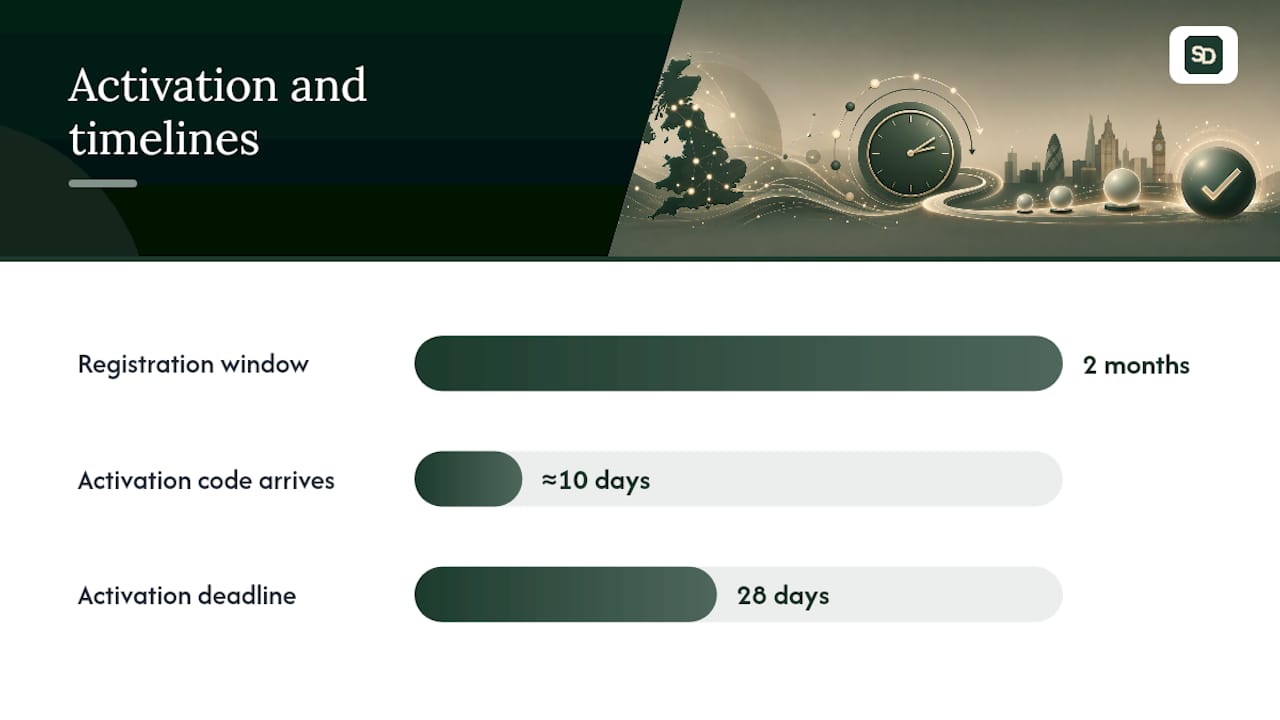
Timing catches out more new employers than the paperwork itself does. You can't register more than two months before your first payday, but you should still register as early as that window allows.
Here's the sequence to plan around:
- PAYE and Accounts Office references typically arrive by post within a few working days to a couple of weeks of registering
- Once you enrol for PAYE Online, a separate activation code arrives by post, usually within about 10 days
- You must activate that code within 28 days of receipt, or it expires and you'll need a new one
If you're due to pay staff before your references land, don't panic and don't delay the payroll run. Run payroll as normal, keep full records of what was paid and when, then submit a late Full Payment Submission once your reference numbers come through. Document everything: dates, amounts, and the reason for the delay, in case HMRC ever asks.
Running payroll and RTI obligations after registration
Registration is the start, not the finish. Once you're set up, Real Time Information rules mean you report to HMRC every single pay period, not just at year end.

The core obligation is the Full Payment Submission (FPS), submitted on or before each payday. According to the Employer Further Guide to PAYE and National Insurance Contributions, you'll also send an Employer Payment Summary (EPS) in certain months, for example if you've made no payments in a pay period or need to claim certain reductions.
You have a few filing routes:
- PAYE Online, suitable for very small numbers of employees
- Basic PAYE Tools, free software from HMRC that you download and install yourself, built for employers with fewer than ten staff
- Third-party payroll software, which usually automates tax code updates and submission timing
- An accountant or payroll agent, who files on your behalf
Whichever route you choose, keep employee records (pay, deductions, leave, and tax codes) for at least three years.
On payments, setting up Direct Debit through HMRC's online service is worth doing early. It removes the risk of a missed payment date triggering interest, and it's one less thing to remember on top of running the actual payroll.
Common PAYE mistakes and a compliance checklist
Most PAYE problems trace back to the same handful of errors, repeated by new employers every year:
- Leaving PAYE Online activation until after the 28-day window expires
- Missing an FPS deadline because payday moved and nobody adjusted the submission
- Using the wrong tax code after an employee changes jobs mid-year
- Failing to record a new employee's National Insurance number before the first payday
Before your first payroll run, work through this order:
- Confirm your PAYE and Accounts Office references have arrived and are stored securely.
- Activate PAYE Online within 28 days of receiving the code.
- Check every employee's tax code and National Insurance number.
- Submit your FPS on or before payday, every time, without exception.
If something slips, act quickly rather than hoping HMRC won't notice. A late FPS can usually be submitted with a reason code explaining the delay, and HMRC's employer helpline can talk you through correcting an error before it becomes a penalty.
Pro Tip: Set a recurring reminder two days before every payday to double check tax codes and submission status. Most late FPS penalties come from forgetting, not from not knowing what to do.
Why automation matters more than most new employers expect
Manual payroll is where small mistakes compound. A tax code entered once, incorrectly, follows an employee for months until someone spots it on a payslip query. An FPS submitted a day late because payday fell on a bank holiday and nobody adjusted the calendar, that's a real, common error, not a hypothetical one.
Automation earns its place here because it removes timing decisions from your memory. Software that links payroll to your income and expense tracking also cuts down on reconciliation headaches at year end, since you're not trying to match payslips to bank statements from six months ago. Tools like SoleDigital are built around this idea for sole traders and small employers specifically: fewer manual entries, fewer places for a tax code or a submission date to go wrong.
— Bobby
Let SoleDigital handle the payroll admin for you
SoleDigital is the practical alternative to juggling spreadsheets, paper reminders, and separate software subscriptions for a sole trader who's just taken on their first employee. Rather than tracking PAYE deadlines, invoices, and expenses across three different tools, you get one place that does all of it.
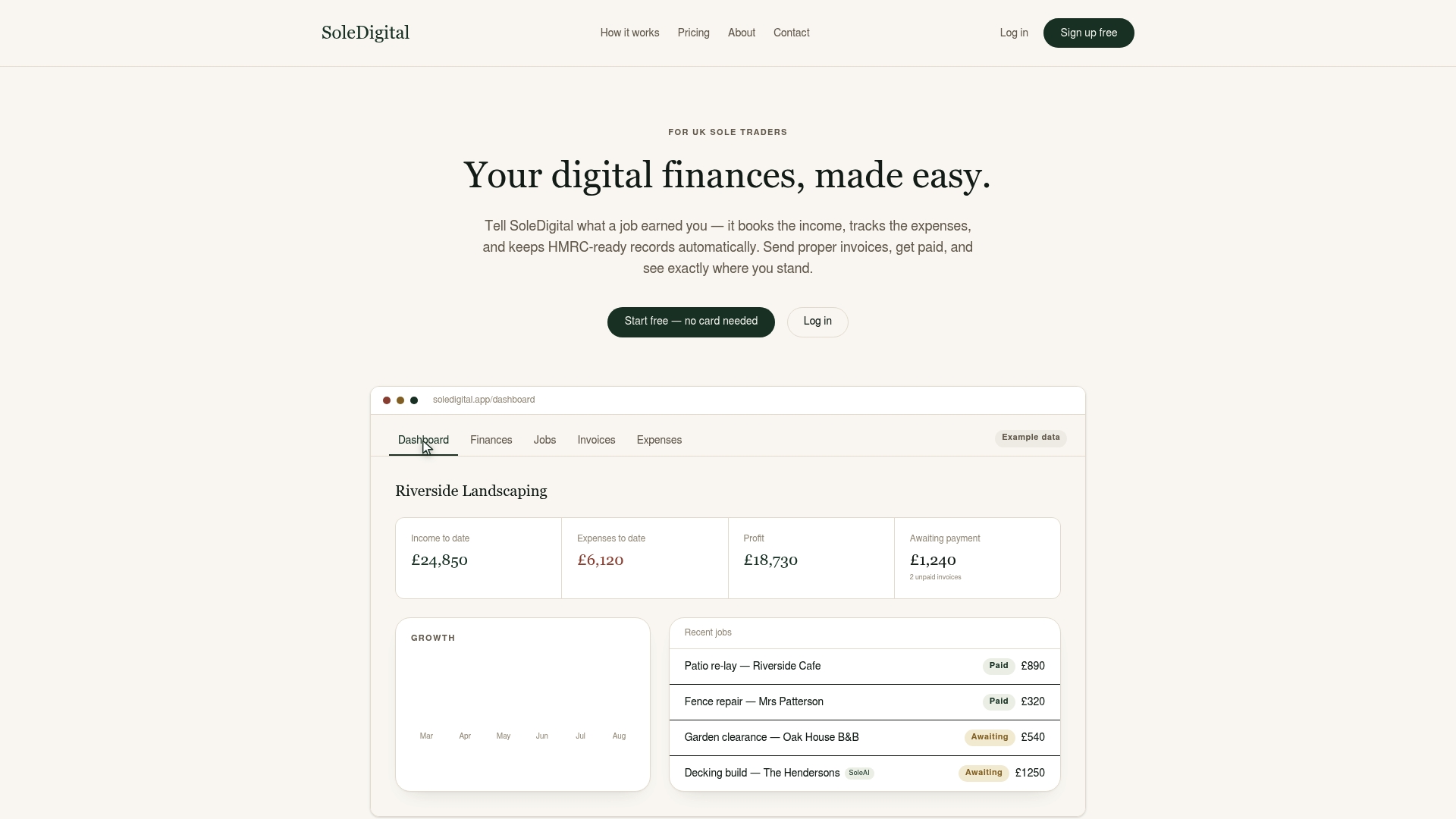
SoleDigital automates the bookkeeping side of employing staff, recording wages, tracking what you owe HMRC, and keeping your accounts ready for RTI reporting without you re-entering the same figures twice. If you're not sure whether a payment counts as a benefit, or you're second-guessing a tax code, SoleAI answers plain-English HMRC questions directly inside the app, so you're not hunting through GOV.UK guidance mid-payroll run.
Head to the SoleDigital landing page to see how the automated tracking works, or check the pricing page to find the plan that fits a business your size. Either way, it's worth five minutes before your next payday.